

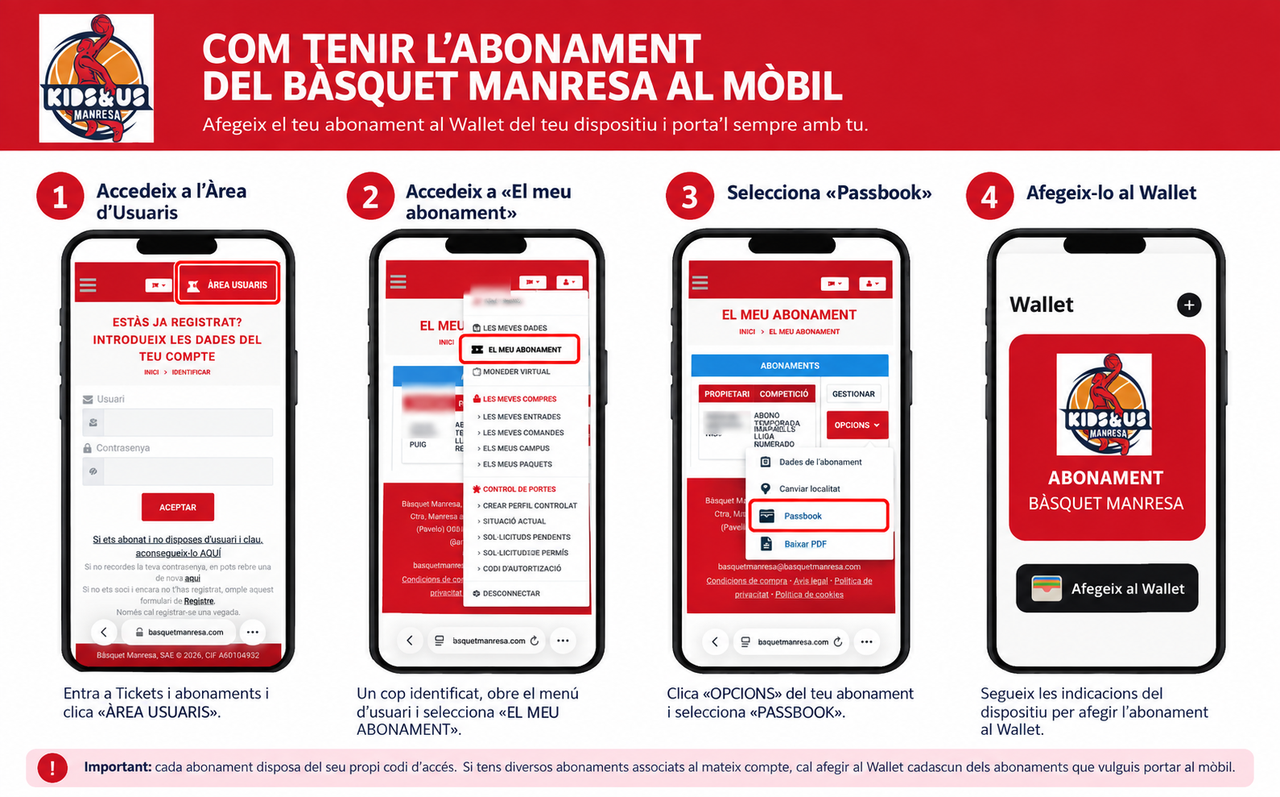
Procedure for subscribers to have the mobile subscription
You can have your new pass in your iPhone or Android wallet, so you’ll always have your card with you.
If you are a Kids&Us Manresa season ticket holder for the 2026-2027 season and wish to have your season ticket on your mobile phone, please follow the procedure detailed below:
Step 1: Access the User Area
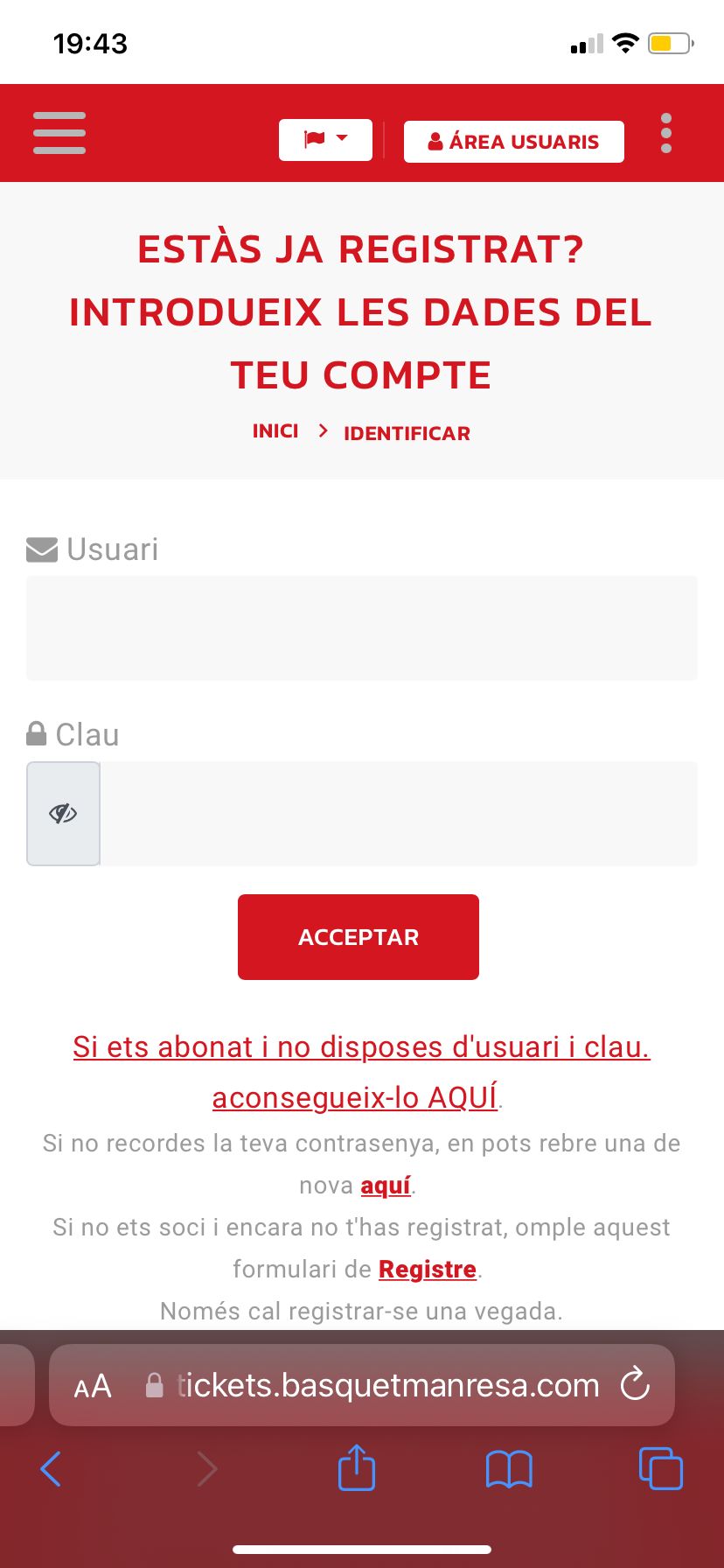
-Go to the "Tickets and Season Tickets" section of the Bàsquet Manresa website and click USER AREA.
If you already have a user account, enter your email address and password.
If you are a season ticket holder but do not yet have a username and password, click the option "If you are a season ticket holder and do not have a username and password, get them HERE".
Step 2: Access "My Season Ticket"
-Once logged in, open the user menu in the top right corner and select MY SEASON TICKET.
Step 3: Select the Passbook option
-In the My Season Ticket section, click the OPTIONS button corresponding to your season ticket and select PASSBOOK.
Step 4: Add the season ticket to your Wallet
-Your phone will generate your digital season ticket. Follow the on-device instructions to add it to your Wallet.
Once saved, you will not need to visit the website again: you can simply open the Wallet app on your mobile and show the season ticket to enter the arena.
Important: each season ticket has its own unique access code. If you have multiple season tickets linked to the same account, you must add each one you wish to carry on your mobile to the Wallet.