

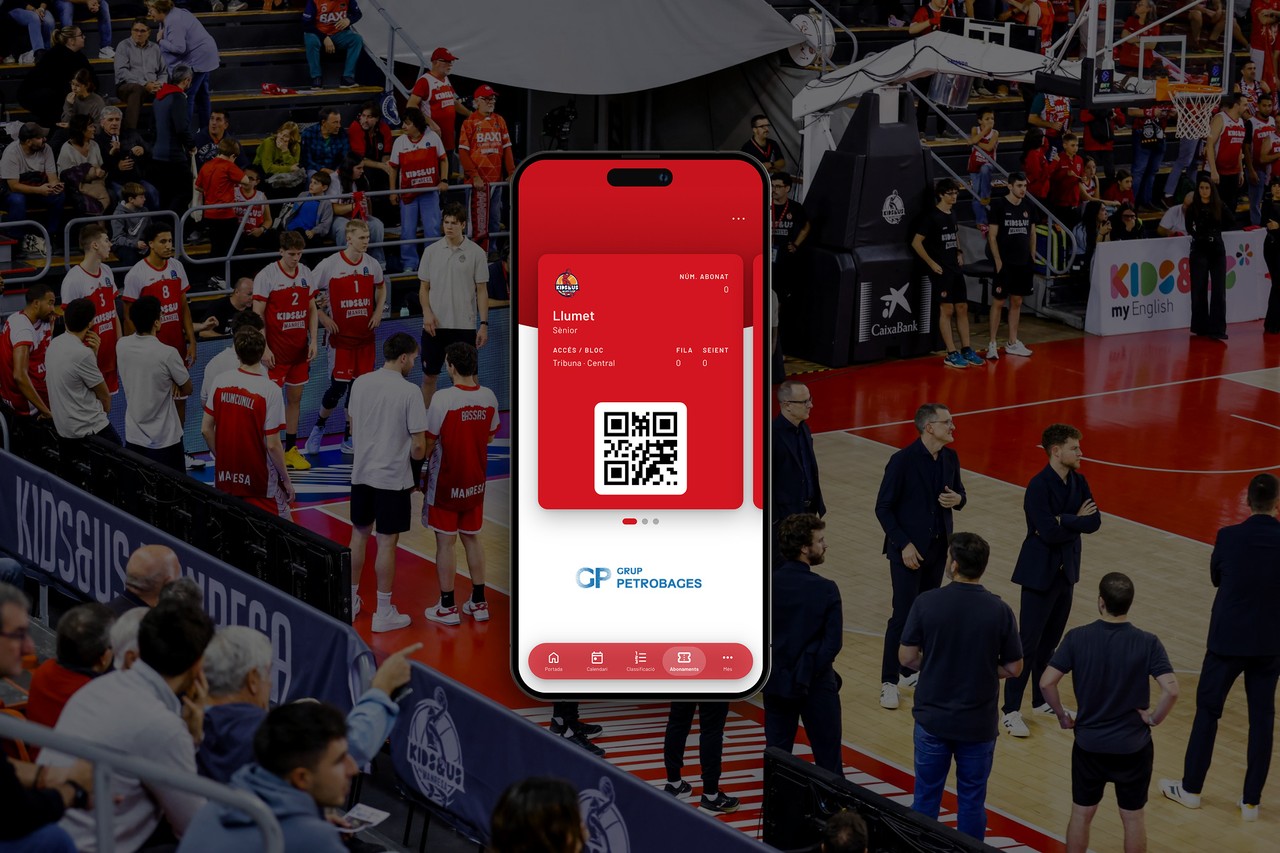
Kids&Us Manresa updates its official app and adds mobile passes
The new version of the Kids&Us Manresa app features a fresh design, in-game notifications, and access—in Catalan, Spanish, and English—to all information regarding the club, the shop, and tickets and season passes.
The new Kids&Us Manresa app features a redesigned look, in-game notifications and access to all club information, the store, tickets and season tickets in Catalan, Spanish and English
Kids&Us Manresa releases a major update to its official app, Kids&Us Manresa. The new version allows season ticket holders to keep their season tickets on their phones and enter the Congost arena by showing a QR code. It also features a new design, customisable notifications and content in three languages.
A redesigned app
The new version is a major upgrade compared to the previous one. Here are its main new features:
- Notifications. The app provides updates during games and alerts users to important club events. Each user can choose whether to enable or disable them.
- New design. The app features a new look based on the club's website.
- Three languages. All content is available in Catalan, Spanish and English.
- Everything about the club in one place. The app provides access to all club information, the online store, tickets and season tickets.
Your season tickets, always on your phone
Kids&Us Manresa season ticket holders can now keep their season tickets in the club's official app, Kids&Us Manresa, and enter the Congost arena by showing the QR code on their phone. All they need is the email address linked to their season ticket and a couple of minutes.
If you already use the previous system to keep your season ticket on your phone, it will continue to work. The app is simply another option.
How to add your season ticket to the Kids&Us Manresa app
Before getting started, download the Kids&Us Manresa app from the App Store or Google Play. If you already have it installed, make sure you have the latest version.
Have the email address linked to your season ticket ready. This is where you will receive the code you need to continue.
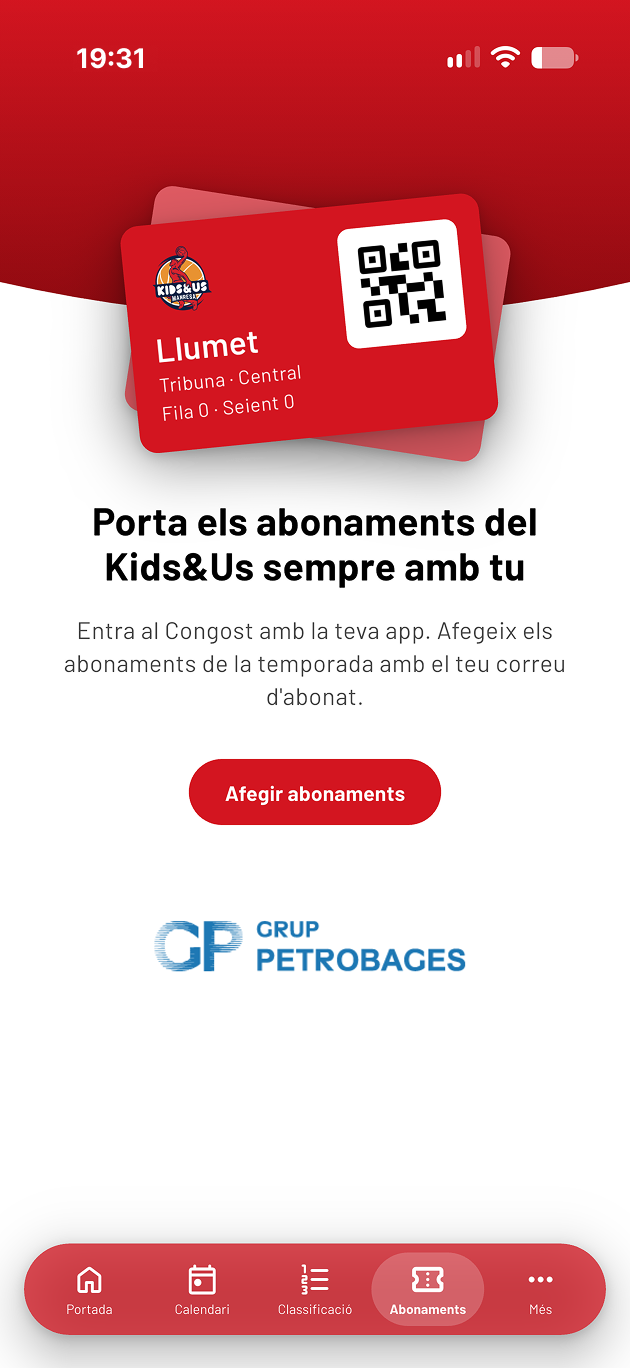
1. Open the Season Tickets section
In the app's bottom navigation bar, tap Season Tickets and then the Add Season Tickets button.
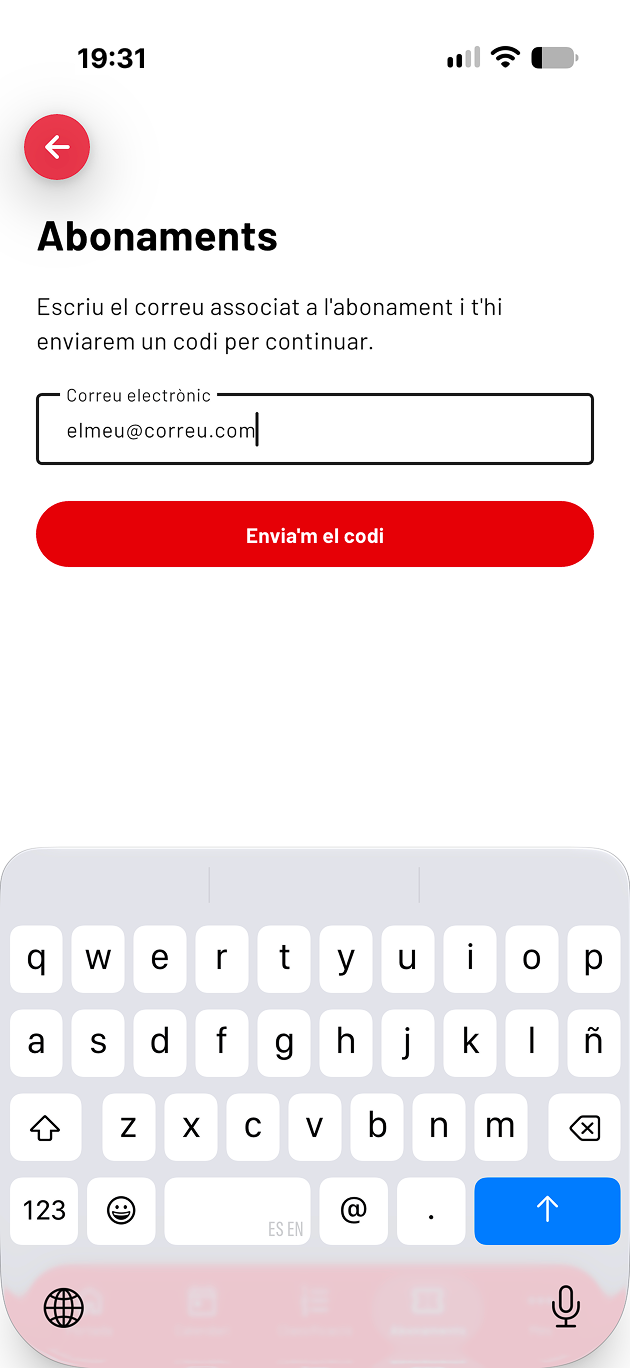
2. Enter your email address
Enter the email address linked to your season ticket and tap Send me the code.
3. Enter the 6-digit code
You will receive an email containing a 6-digit code. Enter it in the app and tap View my Season Tickets.
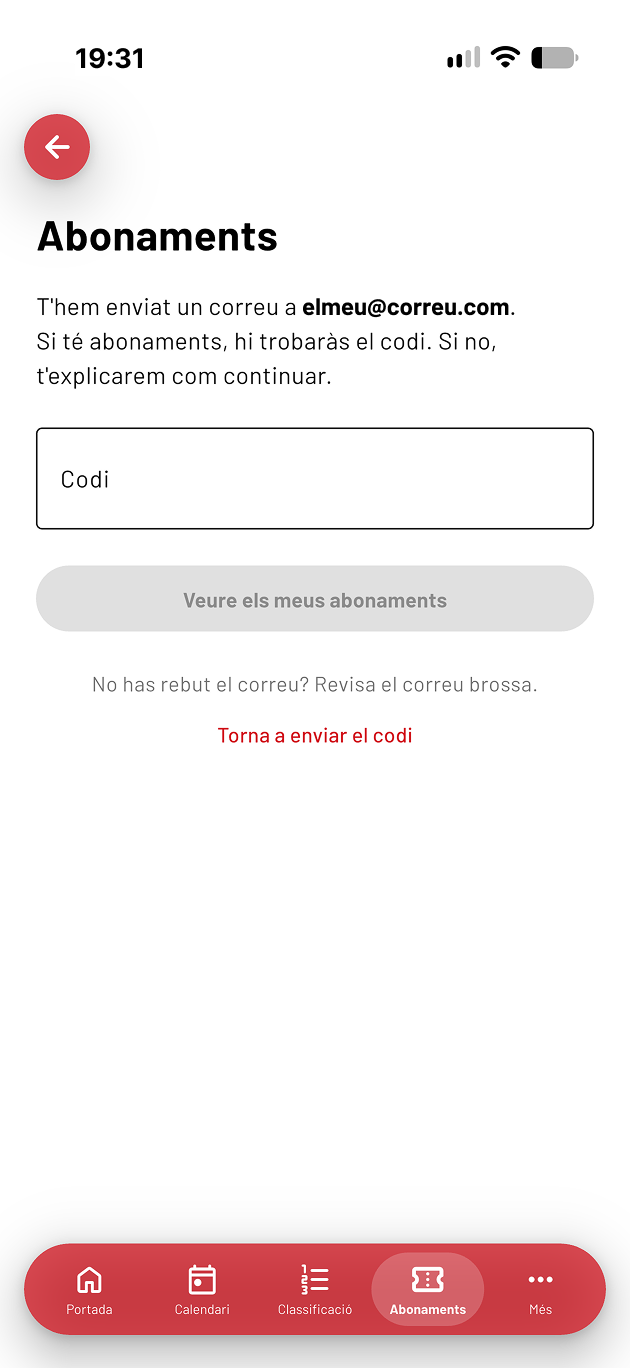
If you cannot find the email, check your spam folder. If it is not there either, tap Resend code. The code expires after 15 minutes, and only the most recently received code will work. You can request a maximum of 5 codes per hour.
4. Your season tickets are now on your phone
All season tickets linked to your email address will appear. If you have more than one, simply swipe sideways to switch between them.
On game days, open the app, go to Season Tickets and show your QR code at the entrance to the Congost arena.
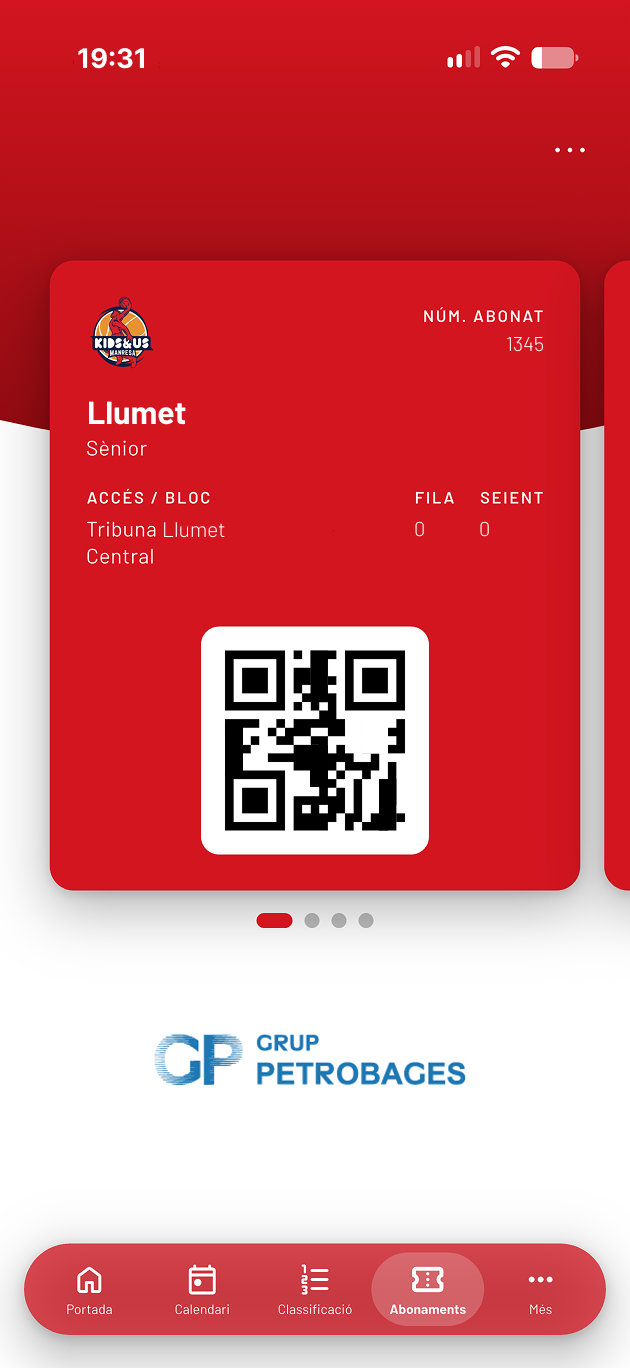
All images shown are examples and contain test data.
A partnership that continues
The app has been developed by Mecexis, the team that has been working with the club on the app's development since the 2018-19 season. This new version marks another step forward in this partnership.
Both the club and Mecexis are committed to continuing to update and improve the app over the coming seasons.
"We have been working with the club since the 2018-19 season, and this is the biggest update we have made to the app. Our goal was to make entering the Congost with a season ticket on your phone simple and to make the app useful during games too, with notifications that each user can customise."
Enric Martínez, Head of App Development at Mecexis.
Frequently Asked Questions
I have several season tickets linked to the same email address. Do I need to add them one by one? No. Once you enter your email address, all season tickets linked to it will appear.
Can I have my season tickets on more than one phone? Yes. Simply repeat the process on each phone using the same email address.
Do I need an internet connection to enter the Congost? No. Once added to the app, your season tickets can be displayed offline.
I have entered my email address, but no season tickets appear. If your email address is not linked to any season ticket, you will receive an email informing you of this. In that case, please contact the club (see the Contact section).
My season ticket details are not up to date. Delete your season tickets using the ··· menu in the top-right corner of the screen and add them again by following the same steps.
Can I add my season ticket to Apple Wallet or Google Wallet? No. Season tickets can only be displayed through the Kids&Us Manresa app.
I don't have a smartphone or don't want to use the app. Will I still be able to enter the Congost? Yes. You can continue entering the Congost as you have until now.
Contact
If you have any questions or encounter any problems, please contact the club:
Email: abonaments@basquetmanresa.com
Phone: +34 93 872 15 03
Grup Petrobages, the club's long-standing sponsor of physical season tickets, is also supporting season tickets in the Kids&Us Manresa app.